On the Subject of 6-Bit Assembly
Thought Markscript was tedious? Check this thing out! Well, at least it has a lot more commands...
This module uses ☼ as prefix of octal values. Every byte is 6 bits and every word is 2 bytes.
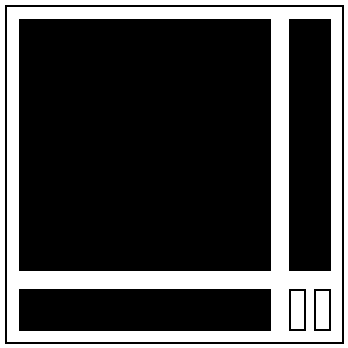
This module consists of 3 screens: Data screen, Command screen, Binary screen; and 2 buttons: 0 and 1.
Initially, the data screen shows 64 bytes of the DATA block and also 64 bytes of the COLOR block. COLOR is immutable. If you hover over the symbol in DATA block, the Command screen will show you the word that consists of the DATA byte in higher byte of word and the COLOR byte in lower byte of word.
Pressing the Binary screen will show you the PROG0 block, whopping 64 words of memory for your very own program! That’s not enough for you? Don’t worry! Pressing the Binary screen when the current input is 1 will send you to the other program block, because there’s two of them. There’s also PROG1 - another 64 words of memory!
While seeing PROG0/PROG1, you may input the opcode for a desired command. When you finish inputting the 12-bit string, module will show you the assembly command for your opcode. After that, press 1 to accept the input and insert/replace the command, or 0 to cancel the input. However, if the opcode is not valid, then module will show its octal value with a question mark (for example: ☼3300?).
To go back to DATA, press Binary when the input is empty. To clear the input - press Command. However, if you try to clear the input that is already empty, you will change the insertion mode (INSERT/REPLACE), where the default is REPLACE. To delete the command at the cursor, press Binary when the input is 0. To run the code, press Command when seeing DATA. To stop running, press Command again.
Your goal is to write some code that not only successfully completes the task, but also safely stops the program
by going into an infinite loop (the easiest solution for that is RJMP ☼00 in the place where you want to stop the program).
Remember that if the CPU goes out of either block or meets an unknown opcode, the module will strike. These are the only 2 cases of the module striking.
THE CPU IS NOT GOING TO AUTOMATICALLY JUMP TO PROG1 IF IT GOES BEYOND ☼77 AT PROG0!