On the Subject of Blank Plate
Probably AI-Generated Casualslop for ADHDpilled audiences...
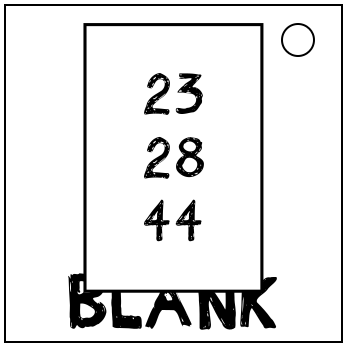
On this Plate is a list of numbers as well as three buttons linked to the game Platform Pablo 3: Blank Slate DX.
Your goal is to safely reach the end of the Path.
The Path is a linear series of “tiles” that can contain obstacles. Pablo only moves forward when you press buttons, no timing required.
-
The topmost button makes Pablo jump in the air for 3 tiles and makes him land on the ground on the 4th.
On the 4th tile, he lands on the ground and is vulnerable to all Obstacles.
His next movement will only take effect on the 5th tile. - The middle button makes Pablo move forward on the ground for 1 tile.
-
The bottommost button makes Pablo slide on the ground for 2 tiles and makes him get up on the 3rd.
On the 3th tile, he gets back up and is vulnerable to all Obstacles.
His next movement will only take effect on the 4th tile.
Pablo always starts on an Obstacle-less Tile (position 0), before the Path starts. The first button press represents the action he does on the first tile.
Generate the Path using instructions on page 2.
Then, the numbers on the Plate indicate which tile numbers to Void.
The first tile of the Path you construct has position 1.
Voided Tiles are considered to not exist, entirely skip over them when Pablo moves forward.
Being in a Jump Obstacle Tile while not jumping or in a Slide Obstacle Tile while not sliding will result in a Strike, and make you move forward automatically until the next Obstacle-less Voidless Tile.
This can place Pablo into a state where resetting is the only way to avoid further Strikes.
In case it is needed, press the word “BLANK” on the module’s casing to reset Pablo to the start of the module.