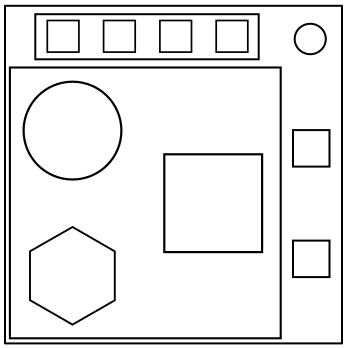
On the Subject of Button Sequence

Now, the budget is sufficient for this manual to exist.

  • Note: For use by those familiar with the original manual.
Red Button
Occurrence
Press if
label is...
Press if
shape is...
FirstA(SQR)
SecondD(HEX)
ThirdH(CIR)
FourthA(CIR)
FifthP(SQR)
SixthA(SQR)
SeventhD(HEX)
EighthH(CIR)
NinthA(CIR)
TenthP(SQR)
Yellow Button
Occurrence
Press if
label is...
Press if
shape is...
FirstD(CIR)
SecondH(HEX)
ThirdA(SQR)
FourthP(CIR)
FifthH(HEX)
SixthD(CIR)
SeventhH(HEX)
EighthA(SQR)
NinthP(CIR)
TenthH(HEX)
Blue Button
Occurrence
Press if
label is...
Press if
shape is...
FirstH(CIR)
SecondA(SQR)
ThirdD(HEX)
FourthP(SQR)
FifthP(HEX)
SixthH(CIR)
SeventhA(SQR)
EighthD(HEX)
NinthP(SQR)
TenthP(HEX)
White Button
Occurrence
Press if
label is...
Press if
shape is...
FirstH(HEX)
SecondD(SQR)
ThirdP(HEX)
FourthA(CIR)
FifthD(SQR)
SixthH(HEX)
SeventhD(SQR)
EighthP(HEX)
NinthA(CIR)
TenthD(SQR)

CIR: Circle, HEX: Hexagon, SQR: Square.

CIR: Circle, HEX: Hexagon, SQR: Square.

If both conditions match, hold down the button. Then, the colored LED will light up next to the button. Based on its color you must release the button at a specific point in time:

  • Blue light: release when the countdown timer has a 2 in any position.
  • White light: release when the countdown timer has a 7 in any position.
  • Yellow light: release when the countdown timer has a 3 in any position.
  • Magenta light: release when the countdown timer has a 4 in any position.
  • Cyan light: release when the countdown timer has a 0 in any position.