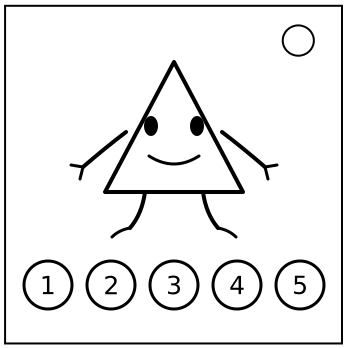
On the Subject of Dancing Triangle

Music makes you EXPLODE!

You’d better run the numbers before the triangle runs you out of strikes. Five circular buttons sit underneath it. Each button displays one digit from 0–9, an outline colour, and a digit colour.

Digits may repeat. The outline and digit colours are independently selected from the eight colours below, except that the two colours on the same button are never equal.

Number the buttons 1–5 from left to right. For button i, let:

  • ni be its displayed digit;
  • oi be its outline colour value;
  • ti be its digit colour value.
ColourValueColourValue
Red0Blue4
Yellow1Magenta5
Green2White6
Cyan3Black7

Your goal is to derive a sequence of ten selected buttons, then enter the ten digits printed on those buttons.

The module gives no correctness feedback during entry. After the tenth press, the music cuts to its final sting and the code is judged.
Get it right and the little geometry gremlin finally stops. Get it wrong and it begins speedrunning your bomb toward an explosion with repeated strikes.

If two buttons display the same digit, either may be used when entering that digit. Their colours are still treated separately during calculation.

Collecting Edgework

Unless stated otherwise, a missing optional or modded widget contributes 0. Count duplicates separately.

Battery score B

SymbolMeaning
ATotal AA cells. A 3-cell holder contributes 3; a 4-cell holder contributes 4.
DNumber of D batteries.
ENumber of empty battery holders.
H3Holders containing exactly 3 batteries.
H4Holders containing exactly 4 batteries.
HTotal number of battery holders, including empty holders.
B = A + 3D + 5E + 7H3 + 11H4 + 13H

NOTE: Due to how KTANE reports batteries, a holder containing exactly one AA battery is treated as one D battery. In this case, count it in D, not AA.

Port score P

Add the value of every port present. Add 17 for every empty port plate and 19 for every port plate, empty or otherwise.

PortValuePortValue
DVI-D1AC7
Parallel2USB8
PS/23VGA9
RJ-454PCMCIA10
Serial5Component Video11
Stereo RCA6Composite Video12
HDMI13
P = Σ(port values) + 17(empty plates) + 19(all plates)

Indicator score I

Convert all letters on all indicator labels using A=1, B=2, …, Z=26. Let L and U be the number of lit and unlit indicators.

I = Σ(indicator letter values) + 7L + 11U

Serial score S

Add A1Z26 values for serial-number letters and face values for serial-number digits.

S = Σ(serial letters) + Σ(serial digits)

Keys and Serial Mixing

Optional-widget score W

SymbolMeaning
FNumber of Two-Factor widgets.
VSum of all voltage-meter readings in tenths. Example: 4.7 V contributes 47.
MSum of manufacture months, JAN=1 through DEC=12.
YSum of the last two digits of all manufacture years.
W = 23F + V + 29M + 31Y

Five edge keys

Calculate each expression, then immediately reduce it modulo 26 to obtain a value from 0–25. From this point onward, E1–E5 always mean these reduced values; do not use the unreduced totals again.

E1 = B + 2P + 3I + 5W + 7S
E2 = 2B + 3P + 5I + 7W + 11S
E3 = 3B + 5P + 7I + 11W + 13S
E4 = 5B + 7P + 11I + 13W + 17S
E5 = 7B + 11P + 13I + 17W + 19S

Five-letter button key K

For each button i from 1 through 5, calculate:

Qi = 11ni + 7oi + 5ti + i² + Ei   (mod 26)

Convert 0–25 to A–Z using A=0. Read Q1 through Q5 from left to right to obtain the five-letter key K.

Ten-letter serial seed

  1. Repeat the serial number until at least 10 characters are available, then take the first 10.
  2. Convert the letters of TRIANGULAR using A=0 through Z=25.
  3. Convert each serial character using base 36: digits 0–9 are 0–9; letters A–Z are 10–35.
  4. Write both values as 6-bit binary and XOR them bit by bit.
  5. Convert the XOR result to decimal, reduce it modulo 26, then convert it back to a letter using A=0.

The ten resulting letters form the serial seed. This is the text used by the cipher chain; TRIANGULAR itself is never encrypted directly.

Cipher Chain

For this page, letters use A=0 through Z=25.

1. Vigenère

Repeat the five-letter key K twice to obtain a 10-letter key. Convert both the serial-seed letter and the corresponding key letter using A=0 through Z=25.

output = (serial-seed value + key value) mod 26

Convert each resulting value back to a letter using A=0 through Z=25.

2. Affine

Let F be the number of Two-Factor widgets. Choose a from the following row; the index starts at 0.

Index01234567891011
a1357911151719212325
index = (B + I + F) mod 12
b = (P + W + S) mod 26

Replace every letter value x with:

y = (ax + b) mod 26

3. Rail Fence

R = 2 + ((V + M + number of port plates) mod 3)

R is 2, 3, or 4. Create R rows and write the 10 Affine letters in a zig-zag, beginning on the top row and moving downward. Reverse direction whenever the top or bottom row is reached.

Read the completed rows from top to bottom, reading each row from left to right. This produces the 10-letter Rail Fence result.

4. Keyed Polybius square

  1. Write the letters of K, deleting repeats.
  2. Append all unused letters A–Z in alphabetical order, omitting J.
  3. Fill a 5×5 square left-to-right, top-to-bottom.
  4. Replace every J in the Rail Fence result with I.

Number the rows 1–5 from top to bottom and the columns 1–5 from left to right. For each Rail Fence letter in position j, let rj be its row and cj be its column.

Deriving and Entering the Code

X = (B + P + I + W + S) mod 5

For j = 1 through 10, let q follow the fixed sequence:

1, 2, 3, 4, 5, 1, 2, 3, 4, 5

For each position calculate:

sj = (rj + 2cj + nq + oq + tq + Eq + j + X) mod 5

rj and cj are the Polybius row and column of letter j. nq, oq, and tq are the digit, outline value, and digit-colour value of button q. Eq is the corresponding edge key after reduction modulo 26.

sj01234
Selected button12345

For each of the ten positions, write down the digit displayed on the selected button. The resulting ten digits are the code.

Submission

  1. Press buttons whose displayed digits enter the ten-digit code in order.
  2. If more than one button displays the required digit, any such button may be pressed.
  3. No correctness information is given before the tenth press.
  4. After the tenth press, stop pressing anything. The music plays its final sting and the module judges the code.
Correct: you outran the triangle; it stops dancing and the module solves.
Incorrect: you did not run fast enough. The module repeatedly strikes until the bomb explodes.

Checks

  • The final code always contains exactly ten digits.
  • Every digit in the final code must be visible on at least one of the five buttons.
  • A button’s outline and digit colour are always different.

Hope your math is faster than a bullet.