On the Subject of Fractured Math
“Fractured”, as in, derived from “fractions”. Weird wordplay, I know.
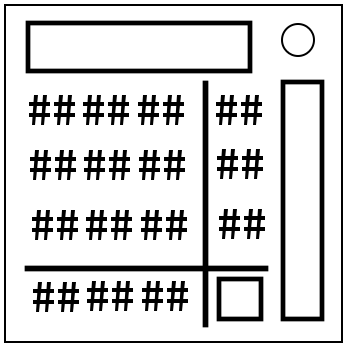
The module contains a 3×3 grid of two-digit numbers, a number to the right/below every row/column, a READ/NUMS/DENS button, a multiplication button, and a submit button.
The number for each row/column is equal the sum of the numbers in it. Though, you might find out that these sums, when calculated manually, may differ from the displayed sums. The thing is, every number in the grid is a mixed fraction, but the module will only display each fraction’s whole number part. Note that the fractions’ denominators will always be prime numbers from 1 to 30, which, additionally, may repeat.
The multiplication button, when pressed, multiplies the entire grid of numbers by the displayed number. The multiplier will always be a prime number from 30 to 100. The module will only display the whole part of each multiplication result, taken modulo 100.
The READ/NUMS/DENS button switches the module’s mode into receiving information / inputting numerators / inputting denominators. To input a numerator/denominator, press the corresponding number and then input the desired number using your keyboard.
The submit button compares the inputted numerators and denominators with the module’s. Keep in mind that the inputted numerators should match the module’s numerators taken at the moment of submission. If the module encounters a submitted 00, the whole submission will be ignored.