On the Subject of Isocolour Flash

Quadrata Colorata: “There are colours in words. A flash in the colors. Find the difference, and all will make sense.”

See Appendix FLASH for Colour Flash variant identification.

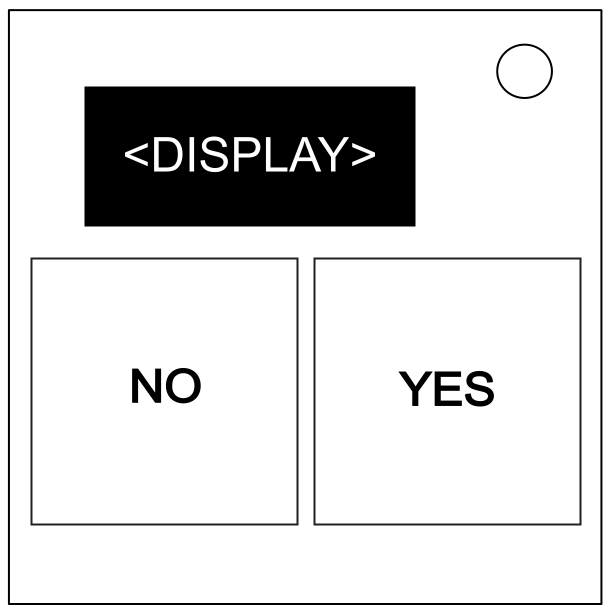
  • An Isocolour Flash module displays eight words with colours in a sequence. The “No” button is notably on the left.
  • Each word and colour represents a square on a 4×4 grid.
  • Order the sequence by the words of each item in a row, then the colours of each item in a row. Place them onto the table below.
1YNNY
34\2YNYN
YY19135
YN621014
NY157411
NN121683
  • Take the colour that occurs exactly once; this is the starting square.
  • Find the starting square’s colour in the leftmost column in the table below:
Starting
Square
↓
Left
(←)
Right
(→)
Up
(↑)
Down
(↓)
Void
(∅)
RedGreenBlueYellowMagentaWhite
GreenBlueYellowRedWhiteMagenta
BlueWhiteMagentaGreenYellowRed
YellowMagentaWhiteBlueRedGreen
MagentaRedGreenWhiteBlueYellow
WhiteYellowRedMagentaGreenBlue
  • Each direction, as determined by the starting colour, represents one of the other five colours (e.g. if the starting colour is Yellow, “Up” is represented by Blue).
  • The starting square represents your current position within the 4×4 grid.
  • Replace the starting square with the colour that represents “Left”.
  • Apply the below steps:
  1. Apply the movement stated on the square you are currently on, or the starting square if this is the first movement (The table wraps around).
  2. Replace the colour of that square with the one to the right of it within the row chosen above.
  3. If you land on a square representing Void, keep moving in that direction until you land on a square that is not Void. Do not apply step two to any squares that represent Void.
  4. If at any point there are no non-void squares to land on after a movement, stop calculating movements; the resulting state of the board is the one to submit.
  5. Repeat the above steps until step four applies. Do not apply step two to the square that causes step four.
  • After obtaining the final board state, submit the squares representing left, then the squares representing right, then the squares representing up, and finally the squares representing down.
  • Submitting a square will turn the represented word or colour black (e.g. submitting B1 will turn the first colour in the sequence black).
  • To submit a square, use the first table in this manual. Press the Yes and No buttons four times to submit the correct square (e.g. submit D1 by pressing Yes, No, Yes, Yes).
  • There is no order for submitting squares of the same direction; all left squares must be submitted before any right squares.
  • Submitting a square representing void or submitting a square out of order will incur a strike, resetting the module to its initial state.