
On the Subject of Kanyeordered Keys
Law of Math: When Kanye West is multiplied by something it will always equal Kanye West.
See Appendix ORDER for identifying modules in Ordered Keys family.
Table AB | 1 | 2 | 3 | 4 | 5 | 6 |
|---|---|---|---|---|---|---|
 | 13 | 8 | 10 | 19 | 24 | 15 |
 | 16 | 2 | 7 | 8 | 10 | 7 |
 | 8 | 12 | 21 | 21 | 18 | 10 |
 | 4 | 25 | 17 | 24 | 14 | 2 |
 | 6 | 18 | 11 | 9 | 8 | 24 |
 | 14 | 24 | 5 | 13 | 21 | 25 |
 | 22 | 16 | 24 | 23 | 2 | 22 |
 | 3 | 5 | 19 | 25 | 4 | 11 |
 | 23 | 20 | 8 | 20 | 11 | 5 |
 | 19 | 14 | 12 | 6 | 10 | 8 |
 | 24 | 23 | 3 | 16 | 6 | 13 |
 | 5 | 13 | 15 | 11 | 20 | 14 |
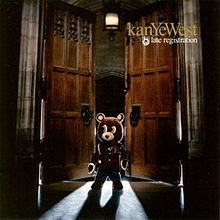
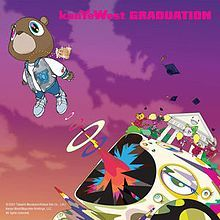
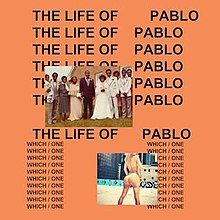
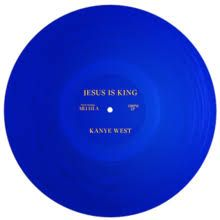
This module consists of 6 keys, each of which is initially labelled with a snippet from an album cover; particularly an album by Kanye West.
This module has two stages. In the first stage, the keys cannot be interacted with.
When the black button is pressed, the module will transition to stage 2, where each key is colored, and a colored letter will be shown on each key.
In stage 2, press the keys in a certain order and then press the black button once more to solve the module.
To gain the initial values for each key, use Table AB, referencing each key’s position with the respective album cover.
