On the Subject of Not Round Keypad

Dude this user experience is absolutely atrocious, why is it a wheel? 9/10
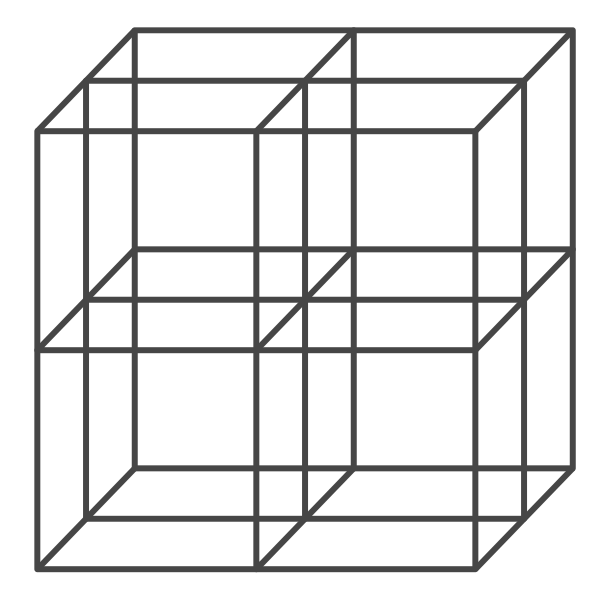
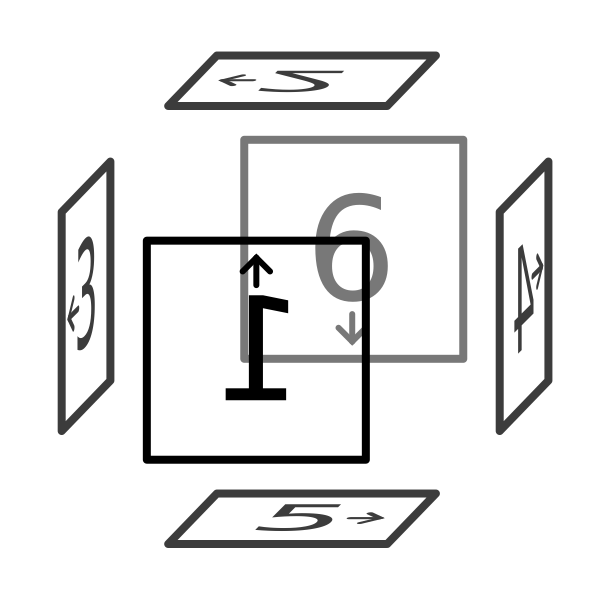
All 8 symbols on the keypad can be found in the diagram above. Find 3 symbols which form a SET; those whose coordinates on each axis of the cube are either all the same or all different.

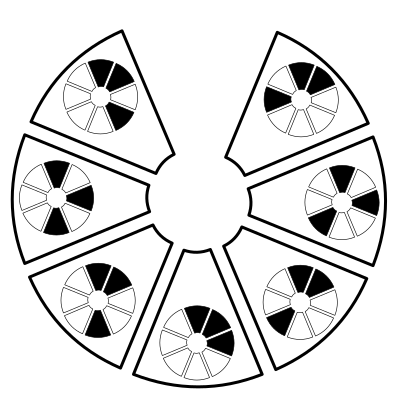
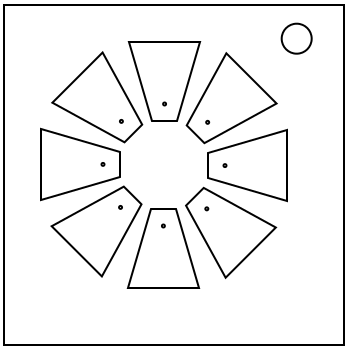
Hover over the buttons whose symbols are not within the SET, starting from north and going clockwise. Doing so will light up specific LEDs which display a word in Semaphore. However, the button which is considered north, for the purposes of the LEDs displaying Semaphore, is not the north button and must be determined. Once the north button is determined, use the diagram to the right to obtain an initial button set. Subsequent mentions of the north button in this manual refer to this button.

Find your Semaphore word in the table below to obtain both a starting position within the cube diagram and how many degrees clockwise you must rotate your initial button set by to get a final button set.

45°90°135°180°225°270°315°

To get the direction your hovercraft is facing, count the number of distinct positions with lit up LEDs when hovering over the SET buttons. Do not count the position corresponding to the north button. Find this number in the diagram below. The numbers are oriented to look normal from the perspective of the hovercraft.

For getting the orientation of your hovercraft relative to the face your it's looking at, where 'up' is indicated by the direction of the arrow of the obtained face above, get the median value of the shortest distance between the angles of the two LEDs around the circle, divided by 45°, for each set of lit LEDs when hovering over the SET buttons. Multiply this median value by 90°, then rotate your hovercraft by that amount clockwise to get your final orientation.

Travel to the symbol on the north button by using the orthogonal buttons relative to the module to rotate the hovercraft in that direction. As usual, after rotating the hovercraft, it will move one node forward.

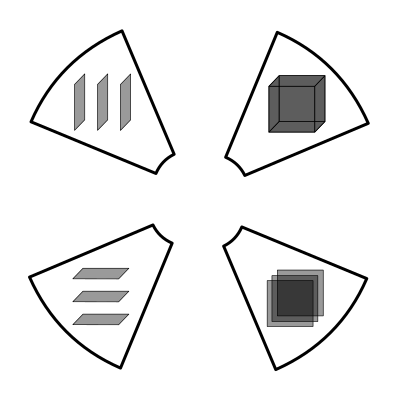
To submit, press the diagonal button relative to the module corresponding to the type of volume of the cube the SET symbols took up in the tunnels, as shown in the image on the right. Thinner volumes take priority over the volume of the whole cube.

Crashing into a wall, submitting a wrong symbol, or pushing a diagonal button that is not the submit button will yield a strike. The initial state of the module returns upon a strike.