On the Subject of Pattern Icosahedron
YOU'RE BROKEN.
...
I WILL PUT YOU BACK TOGETHER.
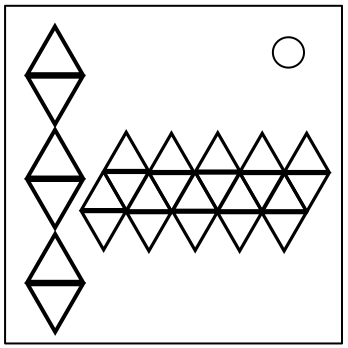
This module shows a net of an icosahedron, and 6 empty tris on the left. Use these tris to determine the location and orientation of each pattern on each face of the net. Correctly place all 20 patterns to solve the module.
Pressing the top/bottom 2 of the left-side tris will show one of four partial nets. Each partial net shows 5 faces of the icosahedron in the correct orientation and position relative to the other faces in the same partial net. The border and background of each tri will match up with the tris on the icosahedron's net.
Pressing the middle 2 of the left-side tris will display the icosahedron's net and rotate the selected pattern.
To select a pattern, press the tri with the pattern when it is shown in a partial net.
To place a pattern, press the tri in the position of which the pattern must be placed. The pattern will be placed in the same way as shown on the middle 2 of the left-side tris.
Note that a net might rotate when a different net is being viewed.