On the Subject of Quadrophobic Maze

HHHHEEEELLLLPPPP IIIIMMMM LLLLOOOOSSSSTTTT!!!!

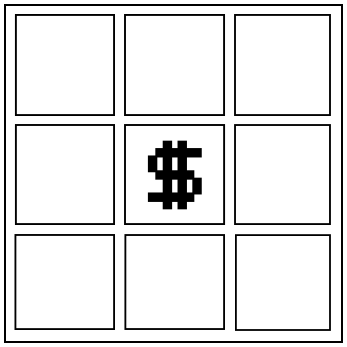
Presented is a 3×3 grid of icons with the dollar button in the middle.

The object is a 4×4×4×4 square with 256 tiles. Each tile is assigned with a unique icon.

The object can generate a maze layout that has pathways that lead to nowhere. If a movement in that direction happens, the character will move to the opposite side in the same direction instead of going out of bounds. The Coordinate Equivalence will be adjusted to reflect this change.

The current position in the maze is the one adjacent to all 8 icons displayed across all axes, looping over. If the screen does not show an icon, there’s a wall in that direction.

To solve the module, you must travel from your current position to each of the 4 goal positions in the solve order.

After the first correct icon in the solve order, the icons will turn invisible. These icons will not be shown until you get a strike. In this case, the icons will reappear until you submit the next correct icon.

The Multiversal Directional Movement

With the given instrument, the initial layout will show different interactable directional screens. The purpose of the screens is to travel a single unit in a given dimension. The screen directions have been provided in a two-dimensional manner to make use of the more intuitive nature of your knowledge of directions. These are the following movements that will be performed for each associated screen:

DirectionScreen EquivalenceCoordinate Equivalence
Left [L]Left screen((y-1)+4)%4
Right [R]Right screen(y+1)%4
Up [U]Up screen((x-1)+4)%4
Down [D]Down screen(x+1)%4
Top [T]Top left screen((z-1)+4)%4
Bottom [B]Bottom right screen(z+1)%4
Ana [A]Top right screen((w-1)+4)%4
Kata [K]Bottom left screen(w+1)%4

When a screen is pressed, the character will move towards that direction by one unit. If a wall is interacted when the movement occurs, the character’s movement will be halted and a strike will occur. It may lead to unintended effects outside your location.

The Dollar Button

With the given instrument, the interactable button located at the center will allow you to check if a certain coordinate is a goal position.

  • If the given location is the next goal position, the next goal icon will to the next goal position and hide all icons.
    • If all goal positions have been submitted in the correct order, the module will disarm.
  • If the given location is not the goal position, or the next goal position in the solve order was skipped, a strike will occur. It may lead to unintended effects outside your location.
  • If you hold the button for 1 second or longer, the character will perform a shift in movement that will reset the character’s to the starting position, as well as solve order progress. The duration of the movement will last for 30 UOT, increasing by an additional 10 UOT each time after the reset was initiated.
    • 1 UOT will take 0.8-1.2 seconds. The exact length of UOT is always random.

Creating the Solve Order

  • Start with the starting location’s icon in the table below.
  • Convert bomb’s serial number from base-36 to base-2, prepend leading zeroes until the binary string is 32 bits.
  • Split the binary into two halves. Add both halves as if it’s ternary (1+1 ≠ 10). This will give you a 16 trit ternary string.
  • Split the ternary string into 4-digit quarters, convert each string to base 10 and add 1.
  • Move forward in reading order by the first number, add the icon you landed on to the solve order, looping around if necessary. Then do the same with the second number, as well as the third and fourth number.
  • If an icon that has already been used or any icon that is not present on the module is landed on, advance one additional icon until you landed on a symbol that is present on the module that has not already been used.
  • Once the solve order has been completed, navigate to each icon in the solve order from first to last, and press the dollar button, while avoiding the walls.

Maze Specifications

  • The outer edges of the maze are not always covered by walls, as the maze can wrap around.
  • The initial position will always have no walls around it in both X and Y axis, but may have any walls in Z and/or W axis.

The Solve Order Table