On the Subject of Surrounding Buttons
All hail the button almighty.
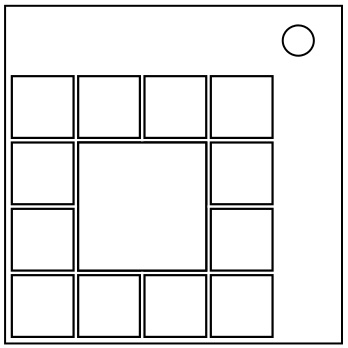
The 13 buttons on the module have values based on their colours (see the table). The center button is the submit button.
| Colour | Red | Yellow | Green | Blue |
|---|---|---|---|---|
| Value | 1 | 2 | 3 | 4 |
Each button that is not the submit button can be “marked” by pressing it. To unmark a button, press it again. A button turns off when it is marked.
Mark 6 correct buttons with the following process:
- Take [top-left button's value + submit button's value] and travel clockwise to that position (starting from top-left button and assuming it has position 1).
- For each subsequented marked button travel [previously marked button's value + submit button value] times from the previously marked button (assuming it has position 0).
- If the button you landed on is already marked, keep moving clockwise until you land on an unmarked button.
- Mark the button that you have landed on.
Once you have marked six buttons, you may press the submit button. The module will solve if your answer is correct, however it will strike otherwise. Strikes do not reset the colours of each button. The module will not submit your answer if you press the submit button while there are not six marked buttons.