On the Subject of Wanderlust

It's cruel how easy it is to lose sight of it...

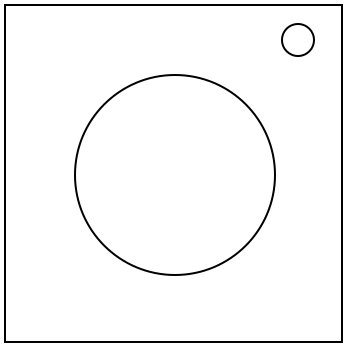
This module will contain a floating purple orb that can be clicked on the local* Left, Right, Up, Down, Front, and Back.

Using the edgework, rotate the orb to discover the orientation of the orb on the bomb. Then use the global** Left, Right, Up, and Down to navigate through a maze. If a wall is hit, a strike will be given.

When at a 'bell' location, press the global Back to ring the bell. When a bell rings, the maze and rotation of the orb will change. If the global Back is pressed when not at a 'bell' spot, a strike will be given.

When at a 'key' location, press the global Front to submit. If it is correct, the module will play a short sound to confirm it. If it is incorrect, a strike will be given.

There are 3 keys that need to be collected in order. After collecting all 3 keys, return to the starting position and press the global Front to solve the module.

Holding the status light for 5 seconds will reset the entire module to its starting position.

*Local refers to the position of the buttons as seen facing directly forward on the module.

**Global refers to the buttons in relation to the rotation of the orb.

Determining the Rotation of the Orb

During each step, you will receive two pairs of letters. The first letter in each pair will either be L or G (Representing Local or Global), and the second will be a position on the orb.

To determine how to rotate the orb, simply do one rotation along an axis so that the button that was at the location of the first pair, is now at the location of the second pair. If there are more than 1 possible rotations, check table AXIS to see which axis to rotate around.


Step 1: The Status Light

If the status light is in the top right corner, skip this step. Otherwise, follow the table below and perform the corresponding rotation depending on which corner the status light is in.


TL BR BL
LU, LL LU, LR LU, LD

Step 2: The Edgework

Take each character in the serial number (converting letters into their positions in the alphabet). Take the value in position 1, add the amount of batteries, then take mod 4 to find the column. Then take the value in position 1 again, subtract the amount of ports, then take mod 3 to find the row. Repeat this for each position in the serial number, using each pair (1 and 2, 3 and 4, 5 and 6) to get 3 different rotations.


0 1 2 3
0 LL GB GU LF
1 GR LD LB GL
2 GD GF LR LU
Step 3: The Bell

Skip this step if no bells have rung and return to it every time a bell rings.

Use the local direction pressed just before the direction that was pressed to result in the bell ringing as the first pair in the rotation, and use the global direction corresponding to the row of the bell as the second. If the first input of the module results in a bell ringing, use global Back instead.

Step 4: The Keys

Skip this step if no keys have been collected and return to it every time a key is collected.

This section is unique as it is the only time that global inputs will swap instead of rotate.
First Key: If the local button pressed to collect this key was Left, Right, or Up, swap LU and LR. Otherwise, swap LU and LF.
Second Key: If this key was in an even maze, swap LD and LU, then swap LR and LL. Otherwise, swap LF and LB, then swap LB and LD.
Third Key: Use the three pairs found in step 2, but swap each pair instead of using them as rotations


Table AXIS:

If you arrived here from step 1 or 2, always use 'even' in the table.

The column is found by identifying which axis it can't rotate around. The row is found by the amount of solved modules (odd or even) when it rotates. This will always be even when starting the bomb.


Missing
Axis
X Y Z
Even Y Z X
Odd Z X Y

Notes on the Axes of rotation:

The X axis goes through the Local Front and Local Back.
The Y axis goes through the Local Left and Local Right.
The Z axis goes through the Local Up and Local Down.

Determining the Maze

The number of the maze to use is determined by the sum of each character in the serial number (converting letters into their positions in the alphabet). Add the amount of times the bell has rung multiplied by one more than the last digit of the serial number. Take the result and mod 13. This number and the corresponding maze to use will change every time the bell rings.

Determining the Starting Location

The starting row is determined by which global direction is currently at the local Left, and the starting column is determined by the amount of modules on the bomb (ignoring needies), mod 6.

The bell does not affect your location in the maze. Your location will be the same after a bell rings.

Determining the Key Locations

The First key's maze is determined by the amount of modules on the bomb (ignoring needies), mod 13. The row is determined by which local direction is currently Front, and the column is determined by the starting maze number mod 6.

The Second and Third keys' maze is determined by the amount of times the bell has rung when the previous key was collected mod 13. The row is determined by the local direction pressed to collect the previous key, and the column is determined by how many spaces were moved in total (mod 6) when the previous key was collected (ringing a bell or collecting a key do not count as moving spaces).

The Reference Maze

This Diagram serves as a reference for determining the starting and key locations.

0 1 2 3 4 5
L
R
U
D
F
B